Article overview
What does Shopify provide?Shopify supplies store and management tools; the merchant still owns products, fulfilment and customer care.Only for small shops?Businesses of different sizes can choose plans around their retail, wholesale and market needs.Must you write code?Many layouts can be edited in a theme; consider additional development for requirements it cannot meet.What Shopify does
Shopify is a hosted commerce platform for creating an online store, managing products and orders, and connecting compatible payment, retail and marketing tools. It supplies the admin, storefront and checkout infrastructure, while merchants remain responsible for their products, content, fulfilment, customer service and compliance. Its theme store, app store and partner ecosystem offer ways to extend a store, but each choice should solve a defined problem.
The ecosystem has three distinct parts. A theme controls presentation; an app adds a particular workflow or integration; and a Shopify Partner may design, implement or support a store. None of these substitutes for a merchant's own product decisions. Start with the problem to solve, then compare the cost and maintenance of a theme setting, an app and a custom build.
Screenshots show earlier interfaces; check current Shopify documentation for features, pricing and availability.
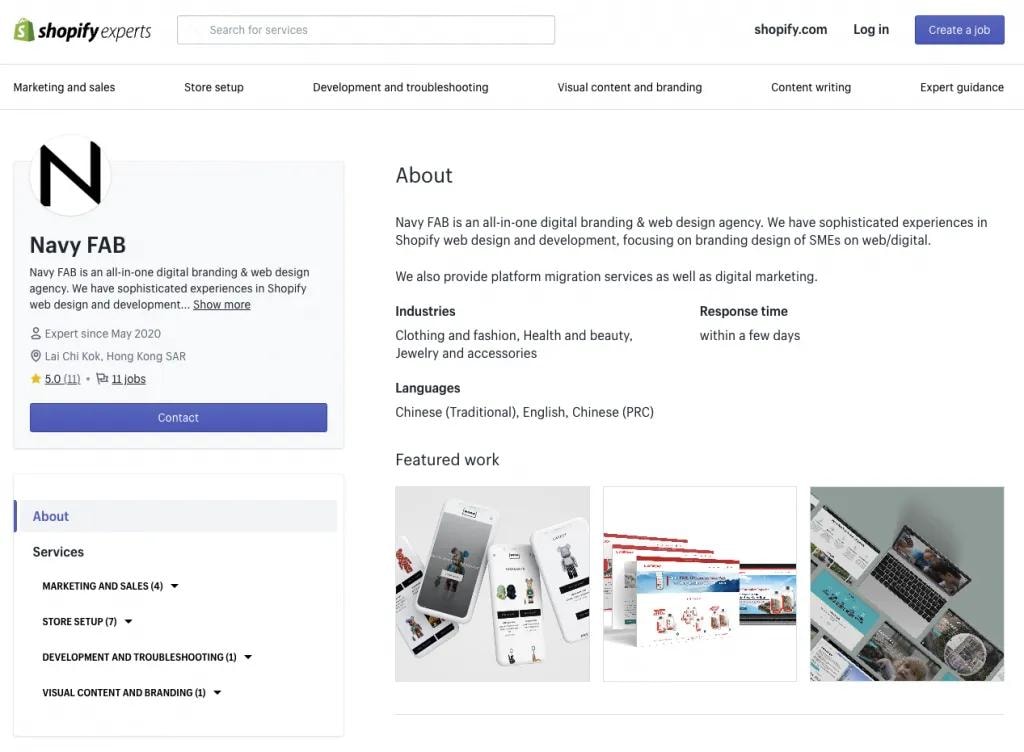
Earlier screenshot of Navy FAB’s profile in the Shopify Experts directory.
These nine questions address assumptions merchants commonly bring to a launch or migration. Availability can change by subscription, country, payment provider and app, so check a feature against your specific store before committing to it.
1. “Shopify is only for small online shops”
A merchant can begin with a straightforward direct-to-consumer store and later add markets, retail operations or wholesale workflows. Shopify offers several plans, including Plus for more complex needs. Company accounts, catalogs and net terms for B2B are available on Basic, Grow, Advanced and Plus. Basic, Grow and Advanced can assign up to three active catalogs across all B2B markets, and their B2B catalog features require the new Shopify Markets. Plus allows unlimited B2B market catalogs and direct catalog assignment to individual companies or company locations. No revenue figure alone determines the correct plan.
Choose based on required workflows, limits and total cost. A large brand may keep a simple configuration; a smaller wholesale business can have demanding catalog and payment requirements. Test the exact tasks your team performs instead of relying on a label such as “enterprise.”
For merchants with a physical shop or pop-up, Shopify POS can connect in-person orders and inventory with the admin used for online sales. Set up locations and test whether a return, exchange or stock transfer updates the records your staff rely on. Available hardware, card processing and advanced retail features vary by location and plan; do not assume a Hong Kong store has the same in-person payment setup as a US store. (Shopify POS guidance)
On Basic, Grow and Advanced, B2B catalog functionality requires the new Shopify Markets. Confirm that the feature is activated for your store before planning around it.
2. “I need to code to design the store”
Themes provide editable layouts, colours, typography, sections and templates. A merchant can launch with a compatible theme and well-prepared photography and copy. Code becomes useful when the design brief calls for behaviour or presentation the theme cannot deliver. Custom code adds testing and maintenance responsibility; it does not automatically produce a better shopping experience.
The theme editor lets you change sections, blocks and page templates without editing code. A product template can show the same structure across many products while each item keeps its own title, images and price. Test a change on a duplicate theme before publishing, and check the home, collection and product views on both mobile and desktop. (Shopify theme editor guidance)
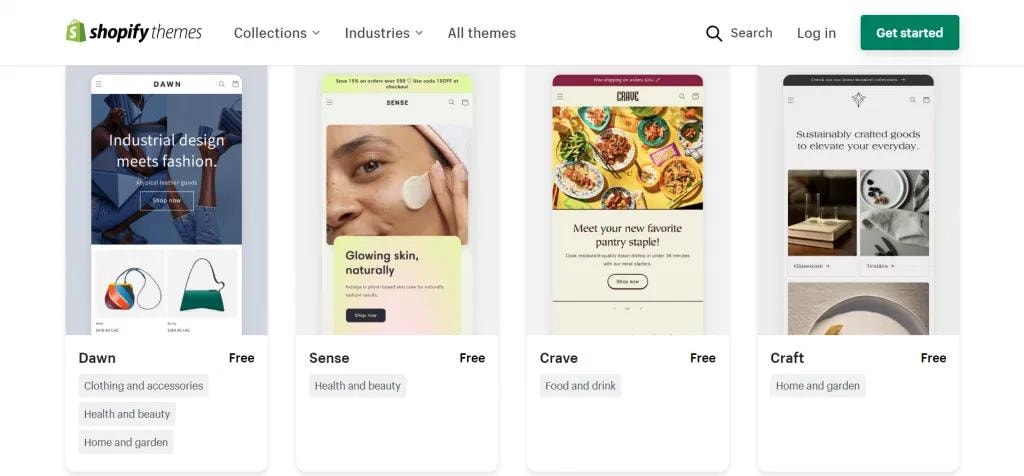
Shopify Theme Store listings for Dawn, Sense, Crave and Craft.
Evaluate a theme with real products and on a mobile device. Navigation, accessible text, product detail quality and a clear return policy usually matter more than decorative effects. If using an agency, give it a brief and ownership rules for the finished theme.
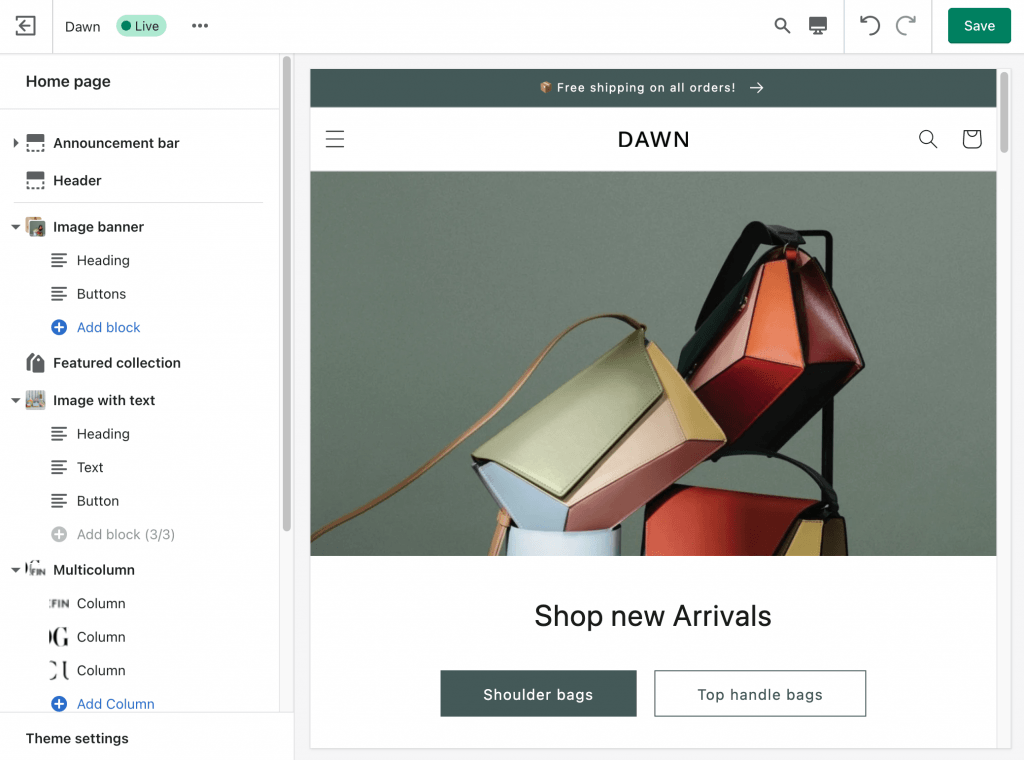
Dawn theme editor showing navigation and an image banner in the storefront preview. Photo: Shopify.
3. “Every app is free, interchangeable or cheaper than custom work”
The Shopify App Store offers a broad set of integrations, but apps can have subscriptions, usage charges, data access requirements and conflicts with other tools. An app that appears cheaper at installation can cost more over years if it duplicates data or slows a key workflow. A custom app may be appropriate when the requirement is specific and stable.
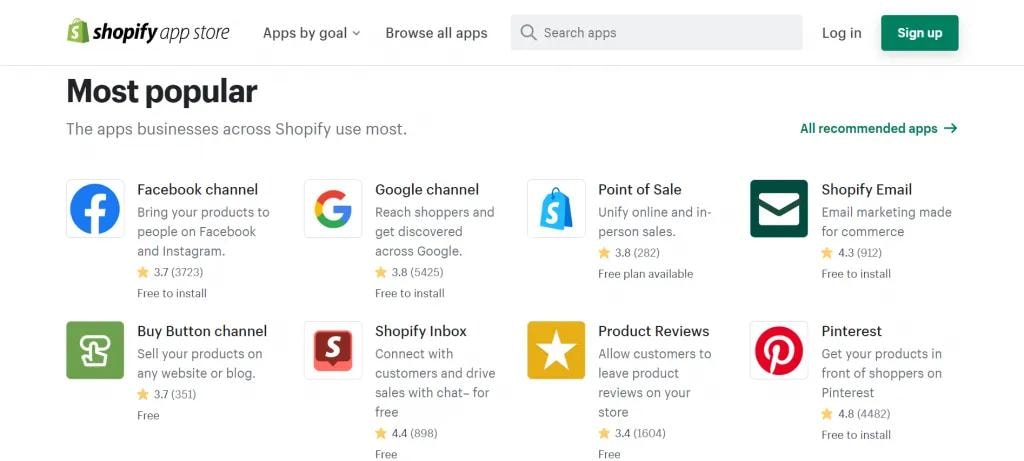
Shopify App Store listings for sales channels, email marketing and reviews.
Before installing, document the task, expected volume, privacy implications, support route, export options and removal process. Test with real orders and record who owns the app. Reassess unused apps after launch.
Compare app installation with custom development; an app is not always cheaper. Price the full term: subscription and usage fees, configuration, migration, staff training, support and exit. Inspect what customer or order data the app requests. Ask whether the same function already exists in the theme or Shopify admin before adding another dependency.
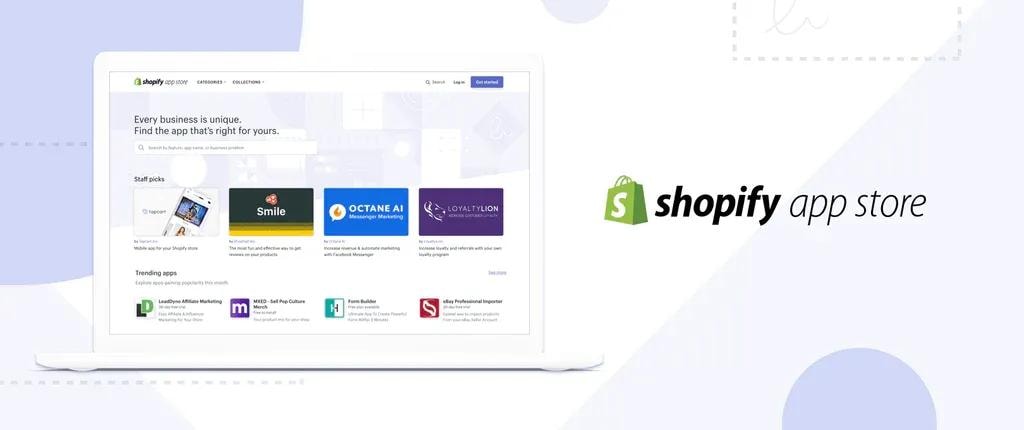
App Store illustration showing a selection of apps beside a laptop.
4. “All payment options work in every country”
Payment availability depends on the merchant entity, supported industry, customer location and processor. Shopify Payments is available to eligible Hong Kong online stores for supported cards and checkout methods; Shop Pay is a separate accelerated checkout option. Shopify also documents Alipay and WeChat Pay through Shopify Payments, but both are in early access, are not available to every eligible merchant, and require activation and review in Payments settings. Other methods can be offered through eligible providers or manual payments. Compare processing fees and Shopify third-party transaction fees using current terms.
For card-present payments at a Hong Kong retail location, Shopify Payments does not process POS card transactions; an external card terminal and third-party processor are needed. Eligible Hong Kong stores may also activate Alipay or WeChat Pay as local methods in Shopify POS, where the customer completes a QR-code payment on their own device. Check eligibility and fees for each method. For international checkout in local currencies, Shopify Payments or Adyen is required. Test the complete checkout and refund flow for each important market. (Shopify POS local payment methods)
A payment-method logo on a pricing page is not proof that it is active for your business. Check your Hong Kong entity and category, complete provider verification, then test the customer country, device, currency, refund and payout. Alipay and WeChat Pay are early-access local methods through Shopify Payments for eligible Hong Kong merchants. When activated for the store, they can also appear within Shop Pay if the same market, currency and eligibility rules are met; neither is guaranteed for every merchant or customer. (Shop Pay supported methods)
5. “More languages and currencies require another store”
A single Shopify store can publish multiple languages, using Translate & Adapt, CSV or a compatible app. Markets can present different languages, currencies, prices and domains for selected audiences. Extra stores may be useful for genuinely separate operations, but they also create more inventory, app and theme management.
Translate product details, policies, notices and support content, not only promotional banners. Confirm that shipping and tax setup exists for every active market. A displayed foreign currency does not by itself mean the customer can pay in that currency with every gateway.
Plan languages from customer-service capacity and content quality, not a fixed five-language limit. Translate navigation, product options, size guidance, checkout-adjacent policies and order messages as one journey. Markets can tailor domains, languages, prices and availability, but the payment processor still determines which currencies can actually be charged. (Shopify Markets guidance)
6. “All checkout customization is available on every plan”
Basic and higher plans can customize checkout branding and use eligible apps for some post-checkout surfaces. More advanced UI extensions on the information, shipping and payment pages are reserved for Plus. Public apps built with Shopify Functions are available more broadly, while custom Function apps have different plan rules.
Name the desired change precisely: a delivery field, a payment method rule, a discount or a thank-you message may require different tools. Check plan eligibility and payment compatibility before buying an app or commissioning code.
Separate visual changes from transaction logic. Changing a checkout colour is different from adding a required delivery field, altering payment choices or calculating a discount. Write an example order showing the intended before-and-after behaviour and check the plan, extension surface and app requirements before development.
7. “Automation requires Plus”
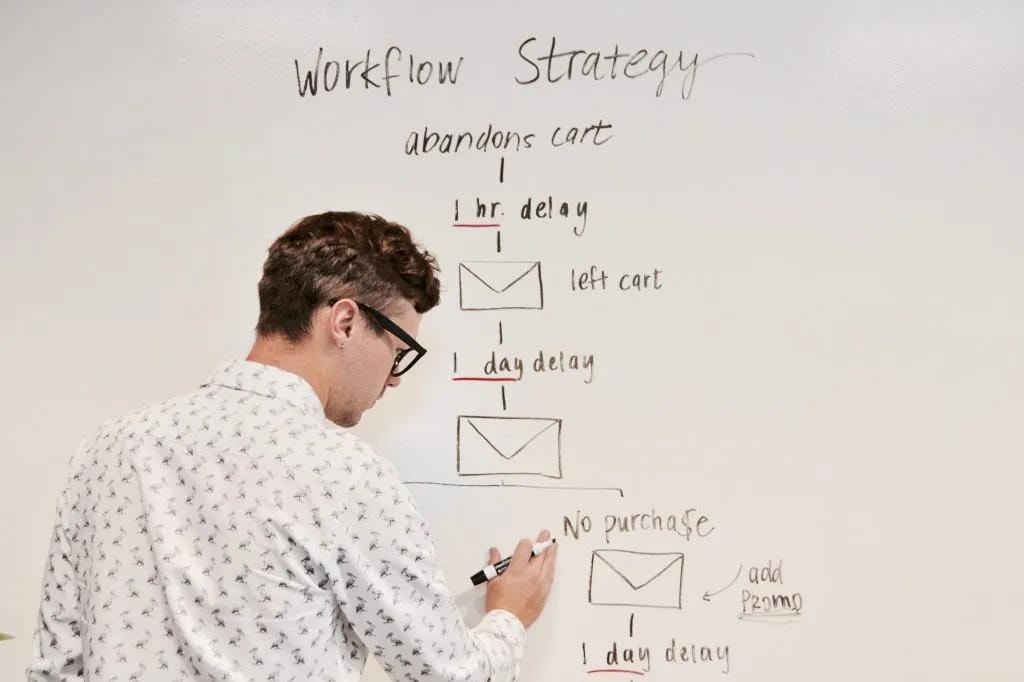
Whiteboard sketch of an abandoned-cart email sequence. Photo: Unsplash.
Shopify Flow is a free app on Basic, Grow, Advanced and Plus. It uses triggers, conditions and actions to automate tasks, such as tagging customers or notifying staff about unusual orders. Some actions and usage limits vary by plan. Email and marketing automation are separate capabilities with their own eligibility and consent considerations.
A Flow workflow starts with a trigger, tests conditions and runs one or more actions. Practical examples include notifying staff when stock is low, flagging a high-risk order for review or tagging a customer after a defined purchase. A loyalty reward needs a compatible loyalty app and an approved action; Flow alone does not create a points ledger. Start with a reversible internal notification, inspect its run history, then expand. (Shopify Flow examples)
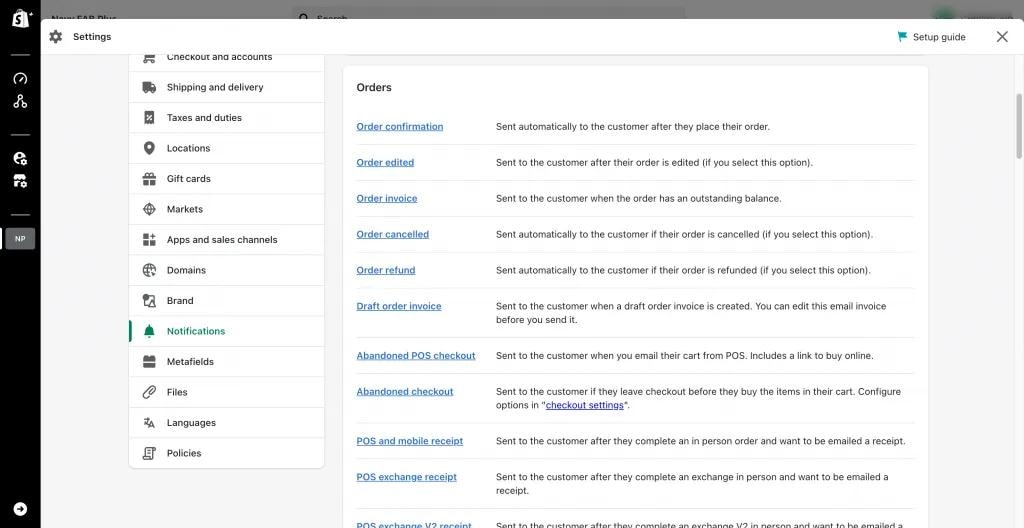
Shopify notification settings for order and abandoned-checkout messages; sending also depends on consent and configuration.
A workflow is only as good as its rules and data. Start with a reversible internal task, inspect its logs, and assign someone to review failures. Avoid assuming an app can award loyalty points or send customer messages without the relevant app and permissions.
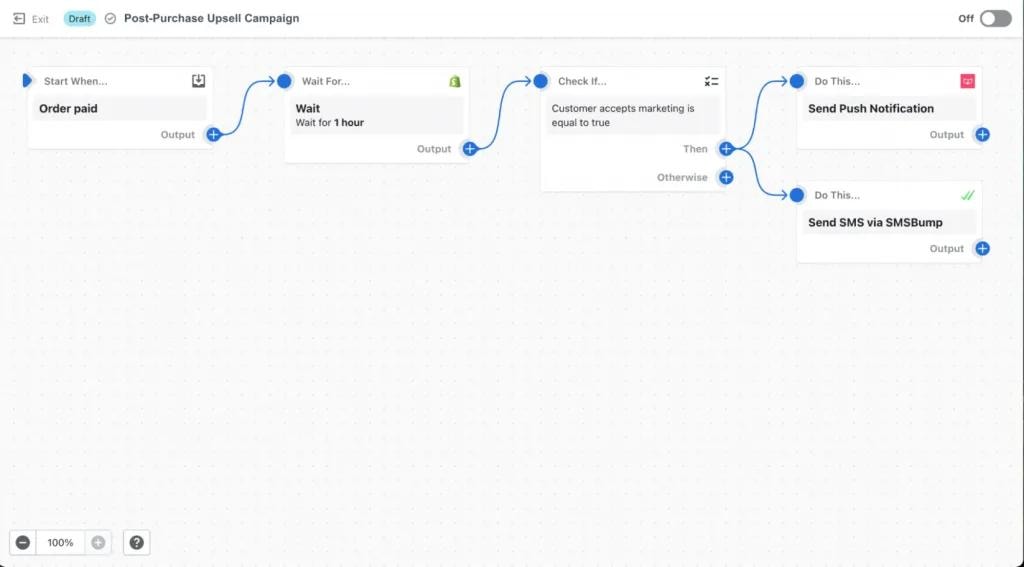
Shopify Flow example linking an order event to checks and follow-up actions.
8. “A Shopify store automatically succeeds across channels”
Sales channels can connect catalog and orders to other platforms, but each has approval rules, listing requirements and its own customer experience. A merchant still needs accurate product data, suitable creative, service capacity and compliant marketing consent. Likewise, abandoned checkout messages do not guarantee recovery or a specific sales uplift.
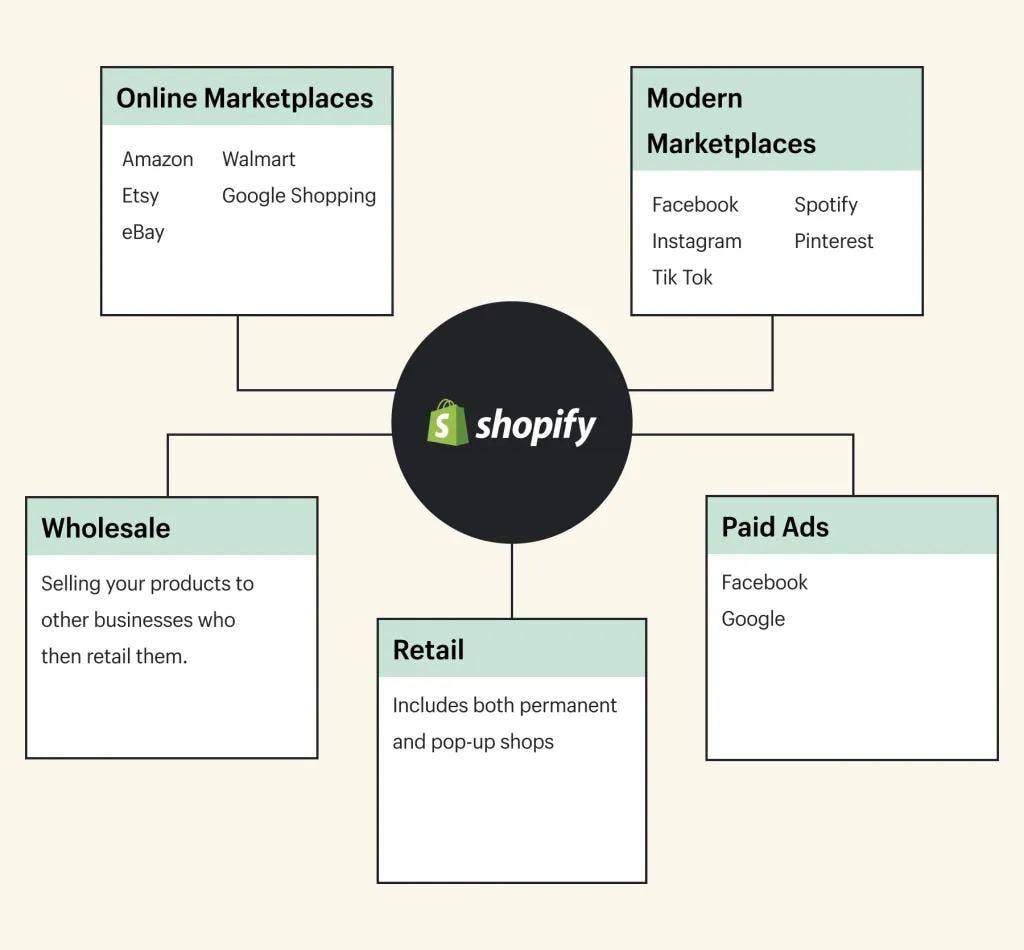
Diagram connecting Shopify with marketplaces, wholesale, retail and paid advertising. Image: Shopify.
Choose one or two channels that match the buyer journey, then test product publication, inventory behaviour and attribution. Measure contribution after fulfilment and advertising costs rather than counting imported orders as pure incremental revenue.
A catalog can feed more than one channel, but each platform has its own listing standards, approval and customer journey. Monitor rejected products, duplicated promotions, inventory updates and where support requests arrive. An order shown in one dashboard still has fulfilment and returns work behind it.
9. “The platform handles every operational problem”
Shopify hosts the core infrastructure and provides documentation and support, yet the merchant must decide who packs orders, handles returns, checks tax obligations, verifies payment eligibility and responds to customers. Retail POS features and hardware availability vary by location and plan. A partner can assist, but should leave the team with documented settings and a usable operating process.
The admin can help staff add products, review orders and monitor inventory without writing code. It cannot decide whether a product description is honest or a refund is fair. Document the steps for adding a product, correcting an address, fulfilling a split order and issuing a refund; test them with the staff who will do the work.

Team members working at computers, illustrating the people needed to operate a store. Photo: Unsplash.
For a launch, use Shopify’s official setup checklist, place test orders and practice refunds. For a migration, protect search traffic with URL mapping and redirects, reconcile customers and products, and verify data after import. The best plan is the one that makes those everyday tasks reliable for your business.
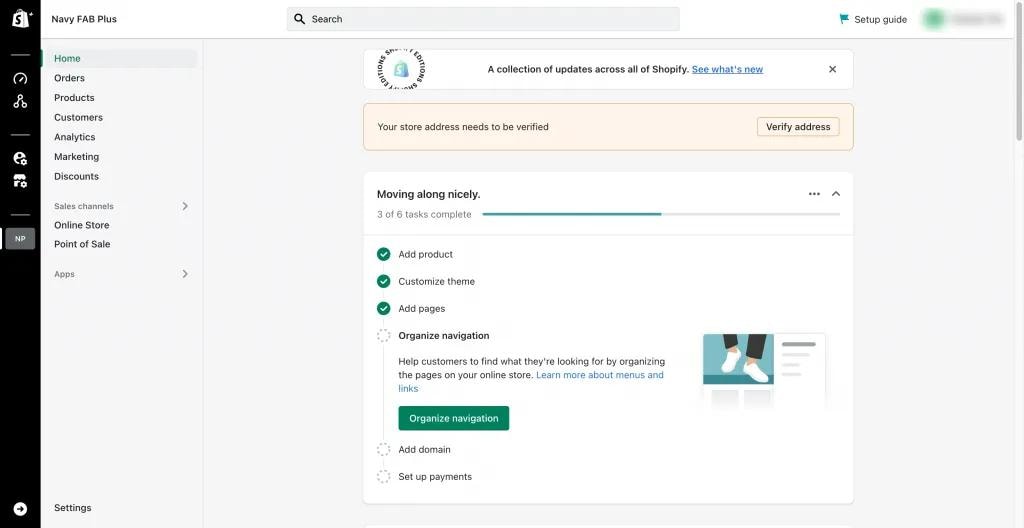
Shopify admin setup checklist for products, theme, domain and payments.
Sources
- Intro to ShopifyChecked
- Shopify B2B features by planChecked
- Shopify FlowChecked
- Checkout customizationChecked
- Hong Kong payment methodsChecked
- Localization and translationChecked
- Markets requirementsChecked
- Shopify Alipay early access and eligibilityChecked
- Shopify WeChat Pay early access and eligibilityChecked
- Shopify Help Center: Shop Pay supported payment methodsChecked
- Shopify Help Center: Accepting local payments with Shopify POSChecked
Common Questions
Q1: What are the roles of Shopify Partners?
Shopify Partners are independent businesses or specialists that can help with store setup, migration, development, design and marketing. Check a provider’s current services, relevant work and contract terms before hiring.
Q2: What happened to Shopify Experts, and how do they differ from Shopify Partners?
“Shopify Experts” and the Experts Marketplace are retired programme names. Shopify now offers a Partner Directory, where independent Partners can present services and eligible programme tiers. Directory listing or a badge should be checked on Shopify’s current site, rather than treated as employment by Shopify.
Q3: What payment method does Shopify support in Hong Kong?
Eligible Hong Kong merchants can use Shopify Payments for supported online cards and checkout methods. Other local wallets or gateways depend on the provider, merchant eligibility and the methods shown in the store’s Payments settings. Check Shopify’s Hong Kong payment-method and provider lists and each provider’s fees; no named wallet or transaction-fee exemption is guaranteed here.
Q4: How can I do email marketing on Shopify and how much does it cost?
Shopify Messaging supports email campaigns and automations on eligible paid plans. Shopify’s current help page gives 10,000 free marketing emails per calendar month, with usage pricing after that; SMS is charged separately. Confirm the latest allowance and rates before budgeting.
Q5: What is the difference between Shopify POS features included with a plan and POS Pro?
Core in-person selling features come with paid Shopify plans; POS Pro adds features such as more staff access and permissions, richer customer profiles, inventory tools and omnichannel workflows. Availability and pricing depend on location and plan. In Hong Kong, Shopify Payments is for online sales, so in-person card processing requires a compatible external processor.
Is Shopify a marketplace like Amazon or Taobao?
Shopify is a platform for a merchant to run its own online store. Amazon and Taobao are marketplaces where many merchants sell within a shared marketplace. A Shopify merchant may also connect eligible marketplace sales channels.
Does Shopify have a permanently free online-store plan?
Shopify offers a free trial, but continued use of a full online store requires a paid plan. Trial length, promotional offers, plan prices and billing terms change by market and date, so consult Shopify’s current Hong Kong pricing page before signing up. View current Hong Kong pricing.
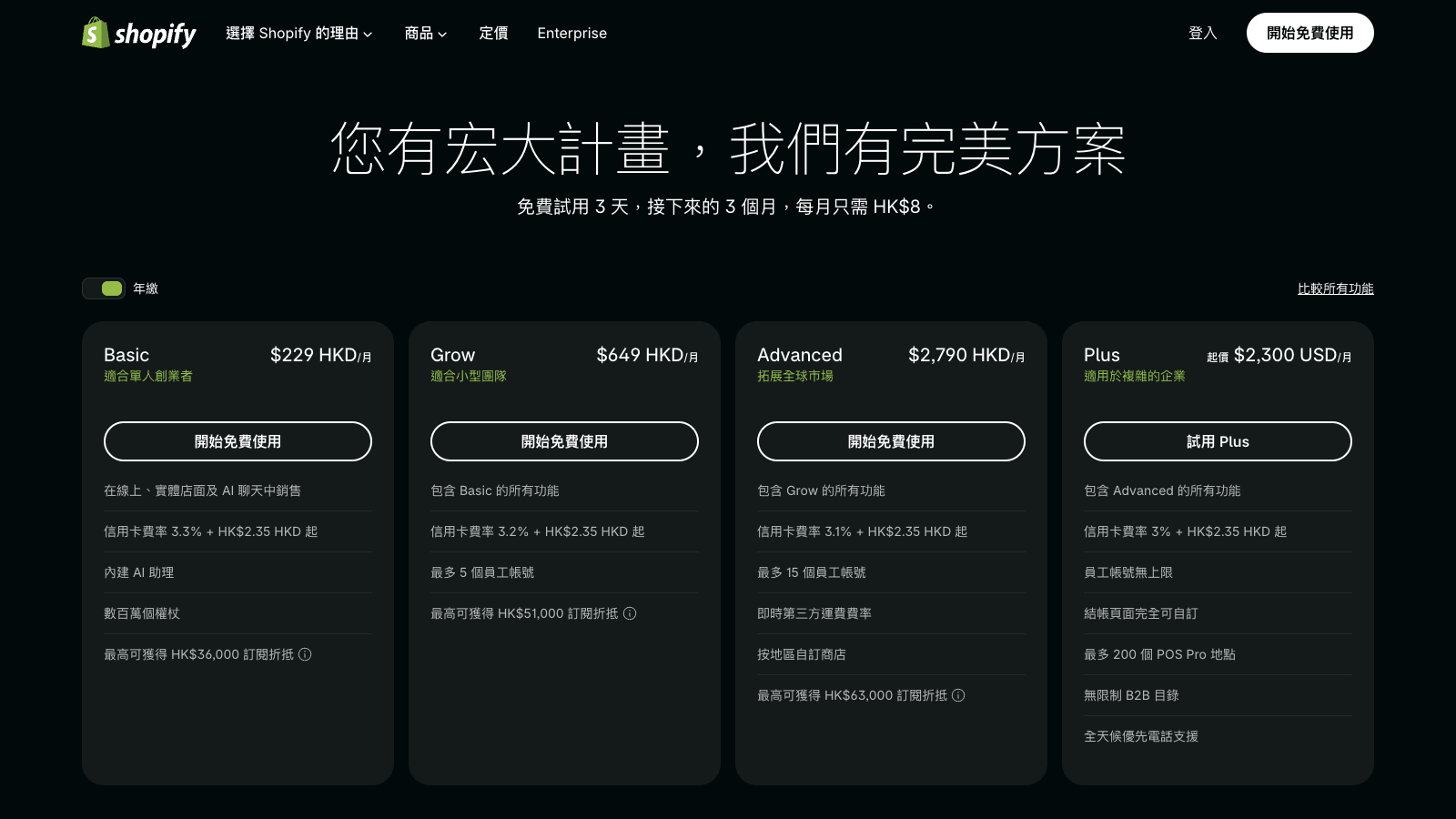
Shopify Hong Kong pricing screenshot captured 24 October 2026. Prices and offers may change; use the link above for current terms.
Are Shopify Partners Shopify employees?
Shopify Partners are independent service providers, not Shopify employees. Verify a provider’s identity, current Shopify directory profile and contractual role before assuming it represents Shopify.
Can a Hong Kong Shopify store offer local payment methods such as AlipayHK or WeChat Pay HK?
Shopify documents Alipay and WeChat Pay through Shopify Payments for eligible Hong Kong stores, but both are in early access, are not available to every eligible merchant, and require activation and review in Payments settings. The listed names do not guarantee that a particular AlipayHK or WeChat Pay HK account, transaction, or third-party gateway is supported. Merchants can also assess compatible third-party providers and verify eligibility, settlement, fees, checkout and refunds for their own store.
Is Shopify limited to fixed templates?
Shopify themes can be customised using the theme editor and, where appropriate, code. The amount of flexibility depends on the theme, plan, apps and development work. Assess required storefront and checkout changes separately before choosing a solution.
Can customers in mainland China use a Shopify store?
A Shopify storefront is not categorically blocked for all customers in mainland China, but access speed and the behaviour of third-party scripts, payment methods and services can vary. Test the actual storefront and checkout from the intended region before promising a customer experience.
Is Shopify only for small businesses?
Shopify serves businesses of different sizes; plan and feature requirements vary. Compare catalogue, checkout, B2B, integration, staffing and support needs, then select a plan that fits rather than judging suitability by company size alone.
Do bandwidth or transaction limits make Shopify unsuitable for growth?
Shopify is a hosted platform designed to handle significant traffic and order volume, but an individual store can still face app, API, inventory-sync or checkout-design constraints. Validate expected peaks and integration limits for your own implementation; historical merchant-count and checkout-rate claims are not current evidence.
Can Shopify integrate with enterprise tools?
Shopify provides APIs, apps and integrations for enterprise workflows. The suitability of a particular ERP, CRM or custom process depends on available APIs, app compatibility, data model and implementation scope. Confirm the exact integration with the vendor or developer before committing.