Shopify vs WooCommerce vs Magento in Hong Kong: which platform fits your business?
There is no universally best ecommerce platform. The right choice depends on customer workflows, who will operate the technology, payment and delivery needs, and total cost over time. This 2026 guide compares Shopify, WooCommerce, Magento Open Source and Adobe Commerce for Hong Kong businesses.
Start with the work the store must support: products and customers, marketing, accounting, stock, delivery, refunds and the people who will run each process. A platform should be selected against those requirements and a realistic budget, rather than a feature count. Test the workflows that would stop your launch or daily operations.
First, what does “Magento” mean?
Magento Open Source is Adobe’s open-source commerce codebase. Adobe Commerce is a separately licensed product family built on that codebase, with features and deployment options that depend on the edition. Adobe documents on-premises, cloud infrastructure (PaaS) and Adobe Commerce as a Cloud Service (SaaS) models. For cloud infrastructure and on-premises, Adobe Commerce B2B requires a separate license and installation; the Cloud Service includes core B2B features such as company management and quoting by default. Magento Open Source does not include these licensed Adobe Commerce capabilities.
Quick comparison
Shopify: hosted commerce service. Shopify operates the core platform and hosting; the merchant manages store configuration, content, apps and integrations.
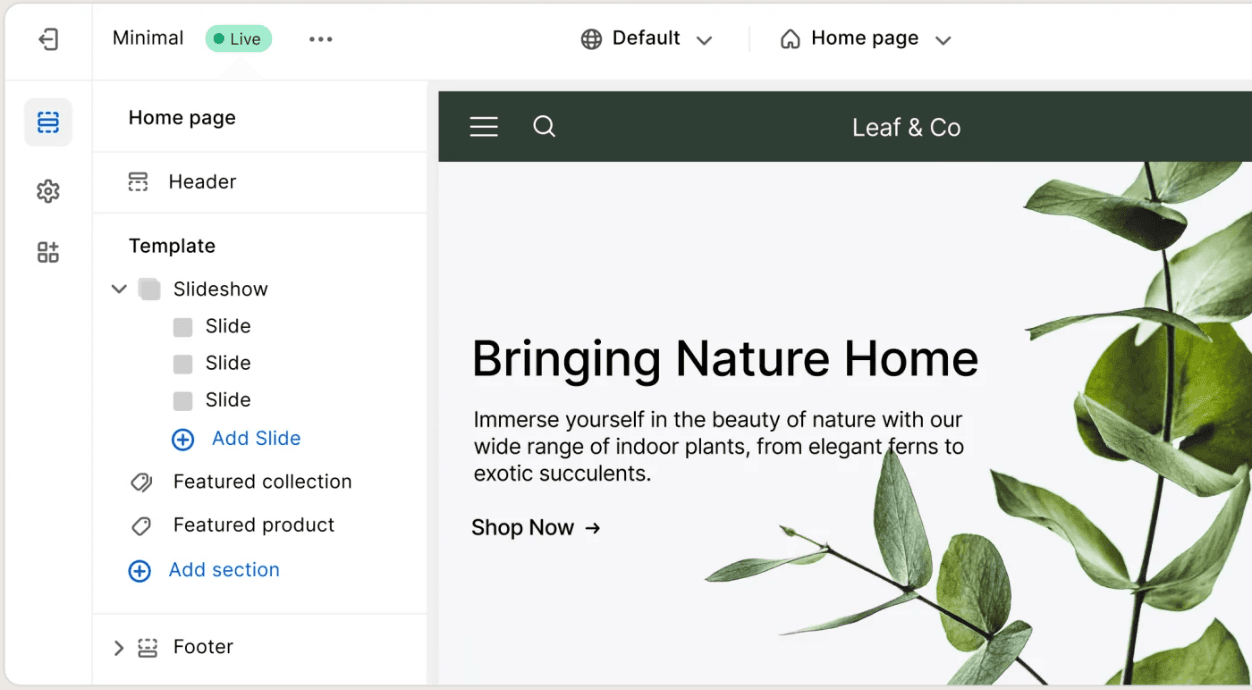
Shopify launched in 2006 and provides hosted online-store software with themes, apps and APIs. Shopify operates the core service and hosting, while the merchant still owns product information, store configuration, installed apps and integrations. Its theme editor can cover common changes; bespoke design or business logic still takes implementation and maintenance work.
WooCommerce: open-source commerce plugin for WordPress. The merchant or its provider owns hosting, updates, backups, extension compatibility and security operations.
WooCommerce began as a WordPress commerce plugin developed by WooThemes, which later joined Automattic. It is open source and can be extended through WordPress themes, plugins and custom code. That control is useful for teams already publishing in WordPress, but somebody must own hosting, updates, backups, extension compatibility and incidents. A free plugin is not a free operating model.
Magento Open Source / Adobe Commerce: distinct offerings built on a related codebase. Confirm the exact edition and deployment model, then account for implementation and long-term technical ownership.
Magento started in 2008 and Adobe acquired it in 2018. Today, distinguish Magento Open Source from the licensed Adobe Commerce offerings. Adobe Commerce can be deployed on premises, on Adobe-managed cloud infrastructure (PaaS), or as Adobe Commerce as a Cloud Service (SaaS). Hosting, application maintenance, B2B capabilities and extensibility differ by offering.
This compares operating models, not measured speed, security, conversion or search rankings. Those depend on the actual implementation.
Hosting and operating responsibility
A hosted service takes core server operation away from the merchant, but it does not take away store management. Shopify operates its hosted core while merchants manage content, apps, permissions and external integrations. WooCommerce is a WordPress plugin: the merchant or a contracted provider chooses the host and owns the application stack, backups and updates. Magento Open Source and Adobe Commerce on premises also need merchant-managed infrastructure; Adobe Commerce on cloud infrastructure is a shared-responsibility PaaS; Adobe Commerce as a Cloud Service is a SaaS offering. Specify the exact deployment and the party responsible for every layer.
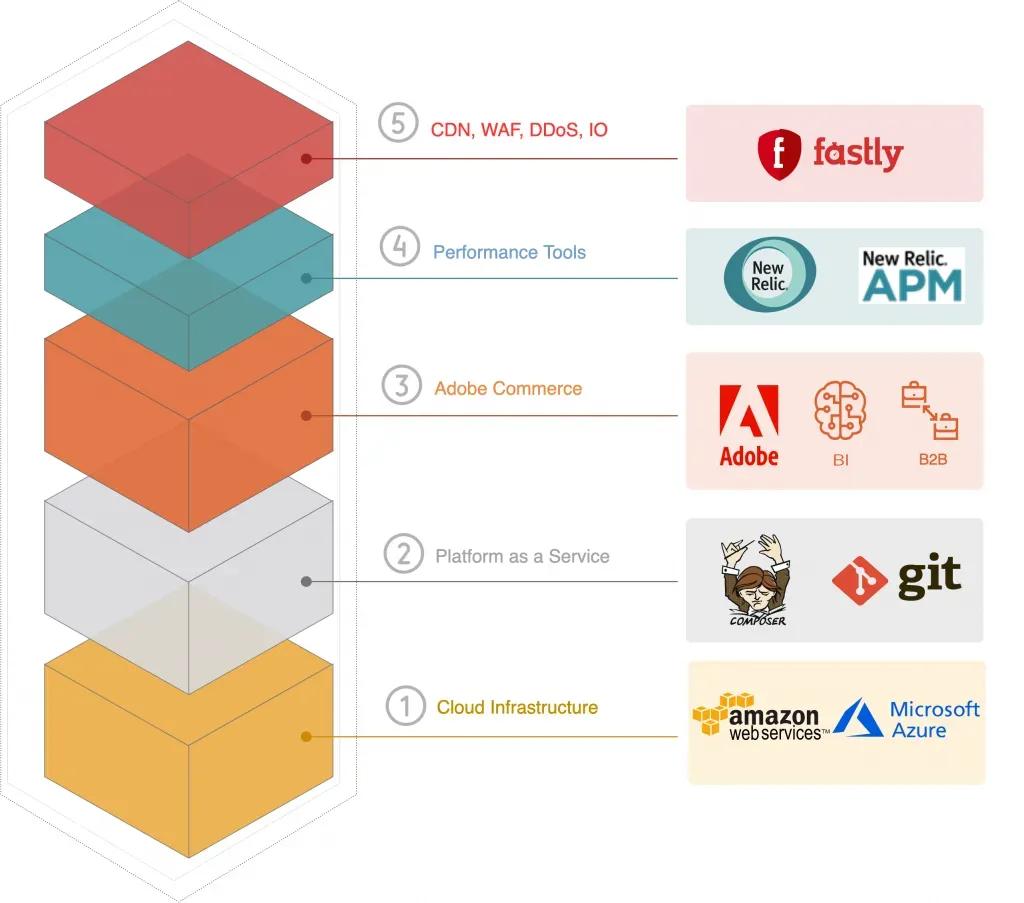
The architecture diagram above is from an older Adobe Commerce Cloud presentation. Use it for historical context only. For a current proposal, ask who operates the web servers, CDN, application updates, custom code, integrations, monitoring and incident response; the answer changes by Adobe offering and by the implementation contract.
Compare total cost, not just the starting price
Build a three-year model using the same order volume, payment mix, catalog, languages, integrations, support hours and campaign peaks. Include subscriptions or licenses; hosting, CDN, backups and monitoring; payment, currency-conversion and transaction fees; paid apps, extensions and themes; implementation and migration; ongoing upgrades and support; internal staff time; and downtime impact.
Include setup and migration, theme or custom design, payment processing and currency conversion, delivery tools, paid extensions, support, upgrades, security work and internal staff time. WooCommerce and Magento Open Source have no core software licence fee, but the merchant funds hosting and implementation. Adobe Commerce needs a current quote for the exact offering. Shopify plan fees include its hosted core but not every app, gateway, POS or custom requirement.
Ask each provider to identify one-off and recurring charges, what happens when an extension or API changes, who tests upgrades, and what it costs to leave. Compare the same order volume, campaign peaks and support scope over three years. Open-source code is not automatically less secure; the key question is who maintains the deployed store and its dependencies.
Public pricing snapshot checked 24 October 2026
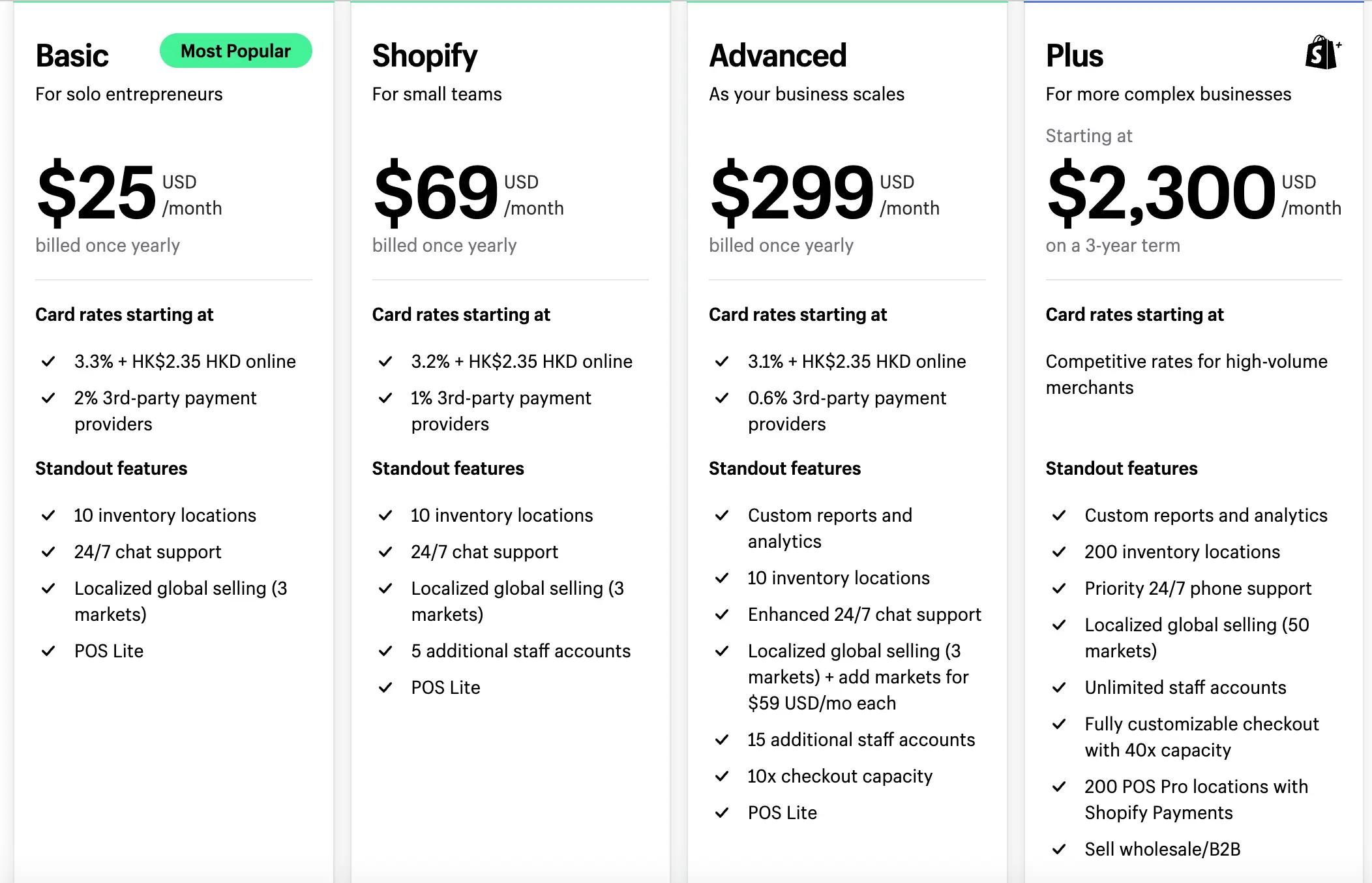
Shopify’s Hong Kong pricing page displayed Basic at US$25/month when billed yearly or US$33/month when billed monthly; Grow at US$69 or US$92; and Advanced at US$299 or US$399. Shopify Plus starts at US$2,300/month on a three-year term or US$2,500/month on a one-year term. Processing and possible third-party transaction fees are separate. Confirm current eligibility, terms, taxes and the amount payable for your business.
For more complex or higher-volume Shopify Plus businesses, Shopify says a variable platform fee may apply according to revenue and business model. Request the actual proposal and contract instead of treating the published starting price as every merchant’s final fee.
WooCommerce describes its core platform as free with no platform revenue share. Its general pricing page estimates hosting at $25–350/month for most stores and extensions at $29–299/year each. The page does not establish these as Hong Kong prices or a specific currency quote; your actual stack and support scope will change the total.
Adobe’s pricing page does not provide one list price for Adobe Commerce. Request a current quote for the exact edition, deployment model and services. Do not rely on old annual-price estimates.
What matters for a Hong Kong store?
Payments and settlement
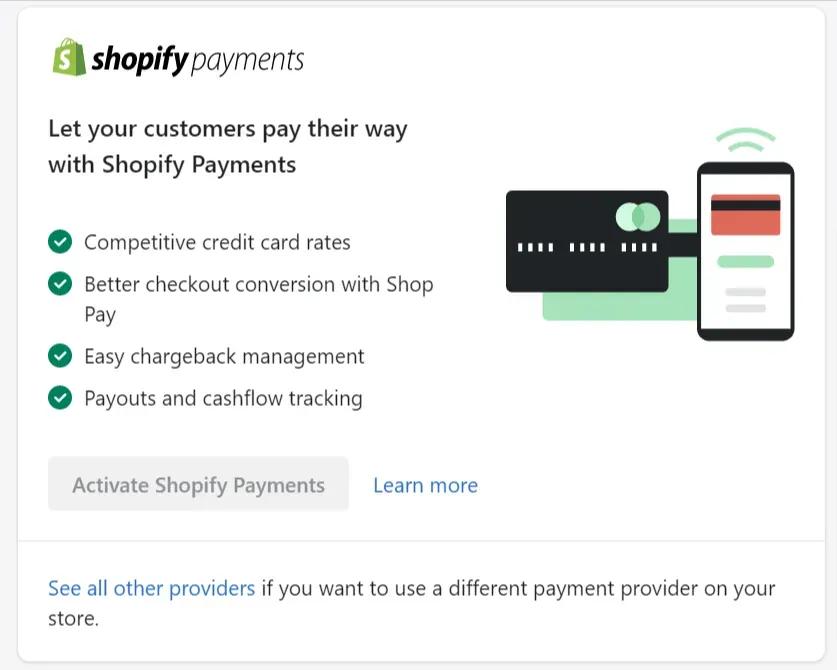
List the payment methods customers use, then verify authorization, refunds, chargebacks, settlement currency and payout timing with the merchant’s own business entity. Shopify Payments is available to eligible businesses in Hong Kong SAR, subject to verification. Check current supported methods and fees. WooCommerce and Adobe Commerce depend on the selected payment provider and integration; a provider logo does not confirm support for your entity or settlement flow.
WooPayments is listed as available to eligible Hong Kong businesses, while Shopify Payments also supports eligible Hong Kong SAR businesses. Shopify lists Visa, Mastercard, American Express and UnionPay, Apple Pay, Google Pay and Shop Pay, plus activatable Alipay and WeChat Pay for its Hong Kong online payments. Available methods still depend on the merchant, customer and activation requirements. Shopify Payments is online-only in Hong Kong; in-person Shopify POS payments need an external terminal and third-party processor. For WooCommerce or Adobe Commerce, a gateway integration may require an extension or custom work. Test the methods your customers use, refunds, failed payments, chargebacks, settlement currency and payout timing; compare processor fees as well as any platform fee.
Retail, inventory and delivery
Map stores, warehouses and sales channels. Test stock changes, partial fulfillment, pickup, returns, delivery rules and failed-order recovery. Confirm whether each requirement is native, plan- or license-dependent, app-based, custom-built or handled elsewhere. Verify Hong Kong carrier and 3PL support directly with the provider.
The previous article named ShipAny and Easyship as Hong Kong shipping examples. Both currently list ecommerce integrations, but a listing is only a starting point: confirm the selected platform version, delivery zones, pickup, label printing, returns, tracking updates and the merchant’s contract. A third-party logistics provider may handle storage and packing as well as final delivery; compare its full service and handoff costs. Run a real order through each proposed integration before launch.

Languages and cross-border selling
Document English and Traditional Chinese content ownership, translated URLs, currency display, market-specific catalogs, tax and shipping rules, and the system of record for each translation. Test real mobile journeys in every required language and market.
Daily operation and ease of use
Use representative products to compare the actual admin work: create a product, change prices, set a promotion, issue a refund, edit stock, update content and recover a failed order. Record the number of steps and the person responsible. Familiarity matters: a team that already uses WordPress may learn WooCommerce quickly, while a new team must also learn its host, plugins and update process. Shopify centralizes many store tasks in its admin, yet complex apps and integrations still require training. Magento Open Source and Adobe Commerce can serve demanding workflows but usually call for more specialized implementation and operational ownership.
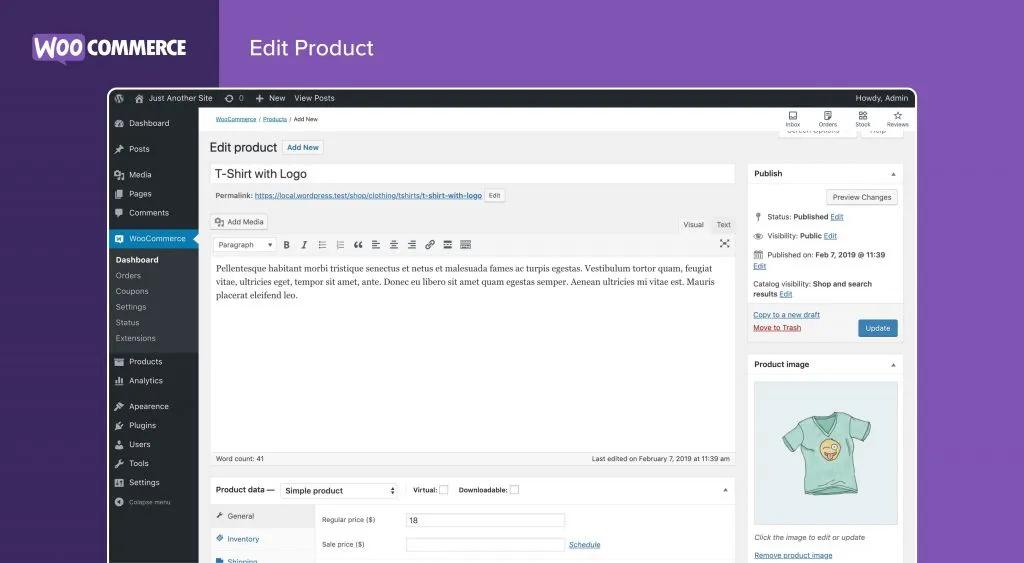
A WooCommerce product editor can be convenient for a WordPress team; the screenshot is an older interface example. Check how the chosen theme and extensions affect the admin experience, because separate plugin settings and compatibility issues can slow routine work. The same hands-on test should cover Shopify and the exact Adobe Commerce offering rather than assume one interface is universally easiest.
Customization, themes and checkout
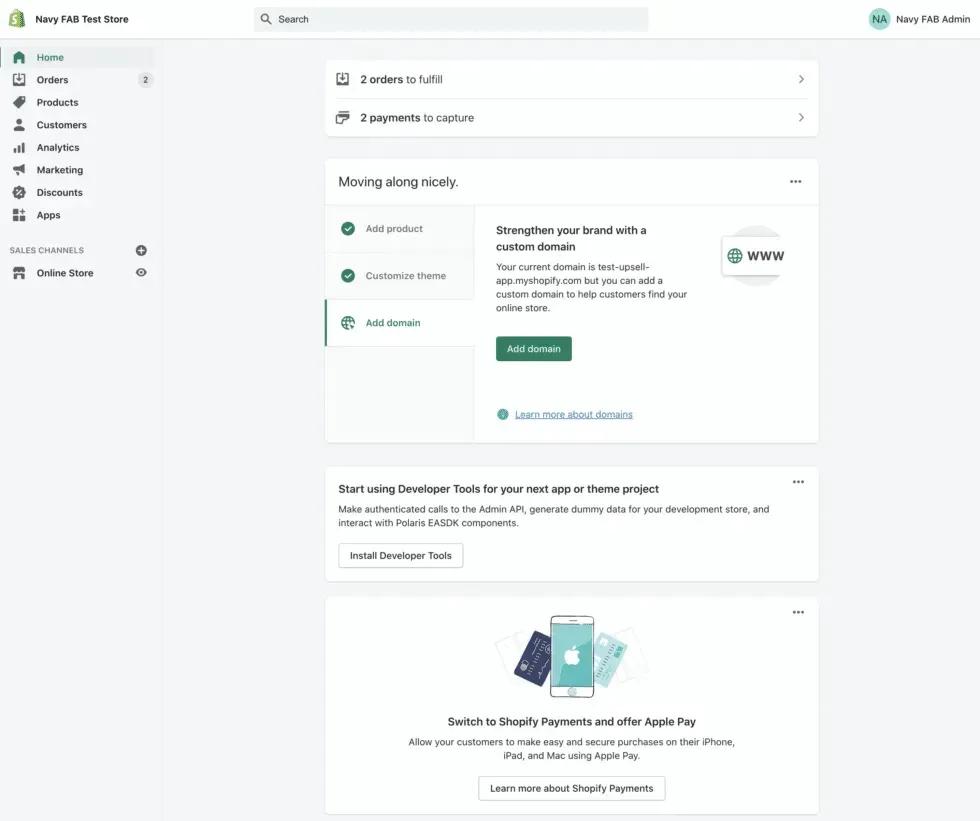
WooCommerce offers code-level control of a WordPress store, including its theme and commerce logic. Magento Open Source and the applicable Adobe Commerce deployments offer extensive extension and integration choices. That freedom also creates upgrade, compatibility, test and security obligations. Document who owns every custom checkout, price rule and third-party extension before making it part of a core customer journey.
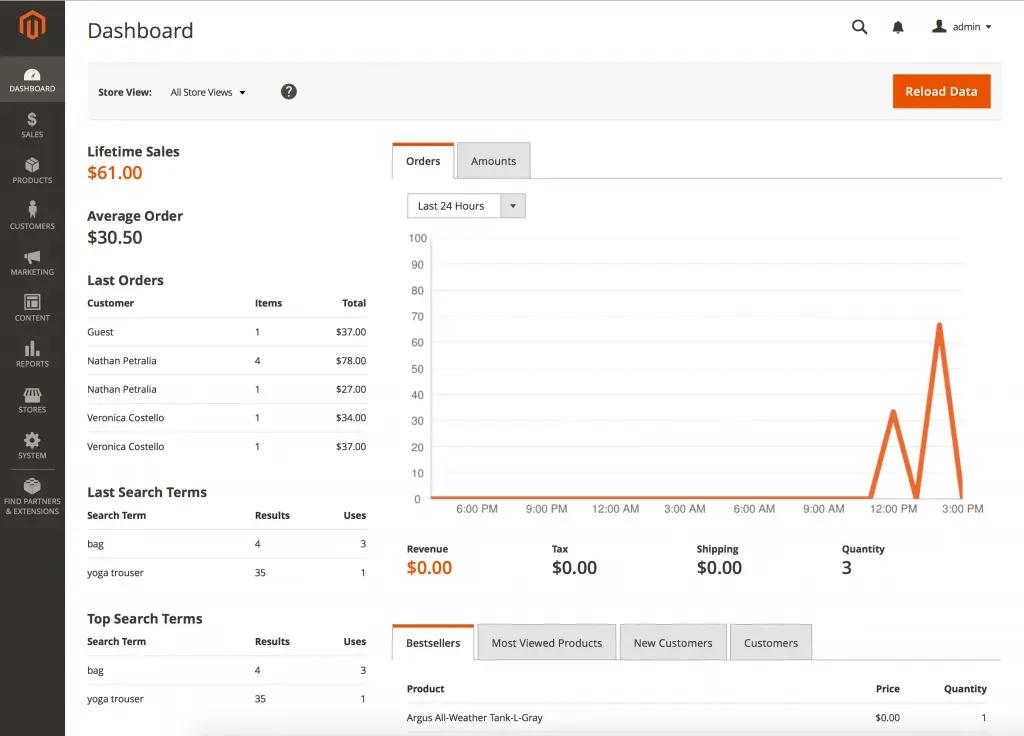
Shopify supports theme development with Liquid, HTML, CSS and JavaScript, plus apps, APIs and supported extensions. Checkout access depends on the page, plan and app type: public apps using Shopify Functions are available beyond Plus, while custom Function apps and UI extensions in the information, shipping and payment steps have Plus restrictions. Verify the precise capability against the merchant’s plan before promising a change. Count of themes or apps alone says little about whether the needed workflow is supported and maintainable.
Page speed and performance
The old article ranked entire platforms as fastest or slowest. That is not a useful benchmark. Theme code, images, apps, third-party scripts, database queries, caching, geography and the hosting design all affect real customer speed. Test mobile product and category pages, search, cart and checkout with representative data; measure the pages actually served to customers rather than infer speed from a platform name.
Scalability and peak-season capacity
For a flash sale or seasonal peak, model traffic and order volume, then test stock updates, queueing, payment retries and recovery from a failed integration. Shopify runs its hosted core, but the merchant still has to evaluate themes, apps and external systems. WooCommerce and self-managed Magento or Adobe Commerce need a capacity plan with their host. Adobe Commerce on cloud infrastructure and as a Cloud Service have different provider and merchant responsibilities. None of these choices guarantees that every connected system will remain available during a peak.
Support, security and responsibility
Separate support for the platform, hosting, payment provider, apps or extensions, and the implementation partner. WooCommerce core support is primarily through its community forum; paid extensions can have vendor support. Adobe Commerce commercial support and service levels depend on the chosen product and contract, while Magento Open Source requires a capable community or implementation team. Shopify publishes support options by plan, with additional priority channels for Plus. Check hours, escalation, exclusions and the owner of custom code.
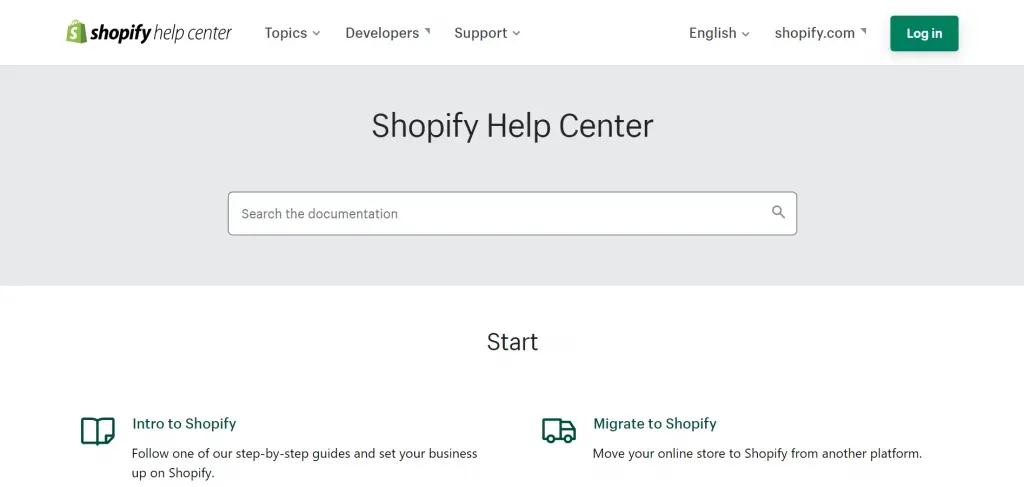
No platform is inherently immune to breaches. Shopify operates its hosted core and provides TLS for stores, but merchants still manage staff access, app permissions, content and integrations. WooCommerce operators must keep WordPress, plugins, themes, hosting and backups current. Adobe describes shared security responsibility for its cloud infrastructure, including merchant-owned custom code and dependencies. Ask for a written incident and update process rather than rely on a broad claim that open source is unsafe or a hosted service is automatically secure.
SEO and AI search readiness
No platform guarantees rankings, traffic or citations in AI answers. Check the rendered implementation: crawlable product and category pages; useful, distinct titles and descriptions; canonical URLs and language alternates; structured data that matches visible content; accessible internal links; and a good page experience. During a migration, inventory valuable URLs and test relevant redirects. Publish helpful, first-hand content with clear sourcing and an accountable review date, and keep product facts consistent across business-controlled sources.
Google’s AI guidance points site owners to the same fundamentals of useful, crawlable content and a good page experience. There is no separate technical shortcut that guarantees inclusion in AI answers. Shopify’s Agentic Storefronts are a product distribution option for eligible products and supported channels; check current market availability and setup requirements.
Which platform should you shortlist?
Shortlist Shopify if
- You want a hosted commerce service and prefer not to operate the core web server.
- Your requirements fit available plans, supported extensions and integrations.
- Payment and logistics checks pass for your business and customer journey.
- You want to evaluate a managed online and retail operating model.
Price the plan, gateway fees, third-party transaction fees where applicable, apps, POS requirements and custom work together.
Shortlist WooCommerce if
- Your business already relies on WordPress content or workflows.
- You value control over your website and technical stack.
- A named owner can manage hosting, updates, backups, security, performance and extension compatibility.
- Your needs are supported by maintained extensions or supportable custom work.
Product count alone does not determine suitability. Hosting, database design, extension quality, traffic and operating practice matter.
Shortlist Magento Open Source or Adobe Commerce if
- A specific catalog, pricing, integration or deployment requirement justifies its extension model.
- You have identified the exact edition, deployment model and licensed capabilities you need.
- You can fund implementation, hosting or service costs, testing, upgrades and specialist ownership.
- A proof of concept passes with representative data and workflows.
For Adobe Commerce on cloud infrastructure or on-premises, verify the separately licensed B2B extension, enabled capabilities, implementation scope and current quote. Adobe Commerce as a Cloud Service includes core B2B features by default; confirm any additional needs against the chosen offering. “Enterprise” alone is not a requirement.
A practical selection process
- List launch-blocking needs: payments, inventory, tax, delivery, languages, accounts, B2B, reporting and integrations.
- Label each need native, plan/license-dependent, paid extension or app, custom, unavailable or unverified.
- Test the riskiest workflows with representative products, orders and customers.
- Compare three-year cost and operating responsibilities on the same assumptions.
- Review URL migration, data export, rollback, support and exit costs.
- Choose the platform that passes and has a named long-term owner.
About Navy FAB
Navy FAB helps Hong Kong businesses assess Shopify requirements and build or improve Shopify stores. Explore our Shopify development services.
Sources
- Shopify Hong Kong pricing: Shopify
- Shopify Payments Hong Kong: Shopify Help
- Shopify SEO overview: Shopify Help
- Shopify Agentic Storefronts: Shopify Help
- WooCommerce pricing: WooCommerce
- Adobe Commerce B2B: Adobe Experience League
- Adobe deployment comparison: Adobe Experience League
- Adobe pricing: Adobe
- Google AI features: Google Search Central
- Google site moves: Google Search Central
- Shopify Plus terms: Shopify
- Adobe Commerce product models: Adobe Experience League
- Shopify platform release: Shopify
- Adobe acquisition of Magento: Adobe
- Magento founding year: Adobe
- Shopify Payments Hong Kong customer methods and POS: Shopify Help
- Shopify store TLS certificates: Shopify Help
- Shopify Plus Hong Kong pricing and variable fees: Shopify
- WooCommerce history: WooCommerce
- WooPayments availability in Hong Kong: WooCommerce
- WooCommerce core support: WooCommerce
- WooCommerce security practices: WooCommerce
- Shopify checkout app availability: Shopify Help
- Adobe Commerce shared security responsibility: Adobe
- ShipAny ecommerce integrations: ShipAny
- Easyship ecommerce integrations: Easyship
Facts checked 24 October 2026; verify time-sensitive prices and eligibility before purchase.