Article overview
Start with evidence, not a failure statisticA store can struggle for several different reasons: too few suitable visitors, friction before checkout, low margins, delivery problems or weak repeat demand. Pandemic-era generalisations and older mobile-commerce statistics are not a reliable diagnosis of your business today. Begin with your own orders, customer questions, costs and device-level performance.1. An unfocused marketing planDefine the customer, the problem your product solves and the reason to buy from you. Pick a manageable set of channels where you can reach that customer consistently. A campaign needs a suitable landing page, an offer with workable economics and someone responsible for responding to enquiries.2. A difficult mobile shopping experienceTest a complete purchase on a real phone: navigation, search, filters, product options, cart, address entry, payment and order confirmation. Look for clipped text, shifting layouts, intrusive overlays and buttons that are difficult to operate. A desktop preview alone will not reveal every problem.Start with evidence, not a failure statistic
A store can struggle for several different reasons: too few suitable visitors, friction before checkout, low margins, delivery problems or weak repeat demand. Pandemic-era generalisations and older mobile-commerce statistics are not a reliable diagnosis of your business today. Begin with your own orders, customer questions, costs and device-level performance.
Illustrations and screenshots may show earlier interfaces; check a service’s current terms before making decisions.

A person studies a laptop screen before deciding what to improve. Photo: Unsplash.

Hands working on a laptop illustrate the day-to-day decisions behind an online shop. Image: Navy FAB Academy.
1. An unfocused marketing plan
Define the customer, the problem your product solves and the reason to buy from you. Pick a manageable set of channels where you can reach that customer consistently. A campaign needs a suitable landing page, an offer with workable economics and someone responsible for responding to enquiries.

Writing “audience” on a whiteboard as a reminder to define the intended customer. Photo: Unsplash.
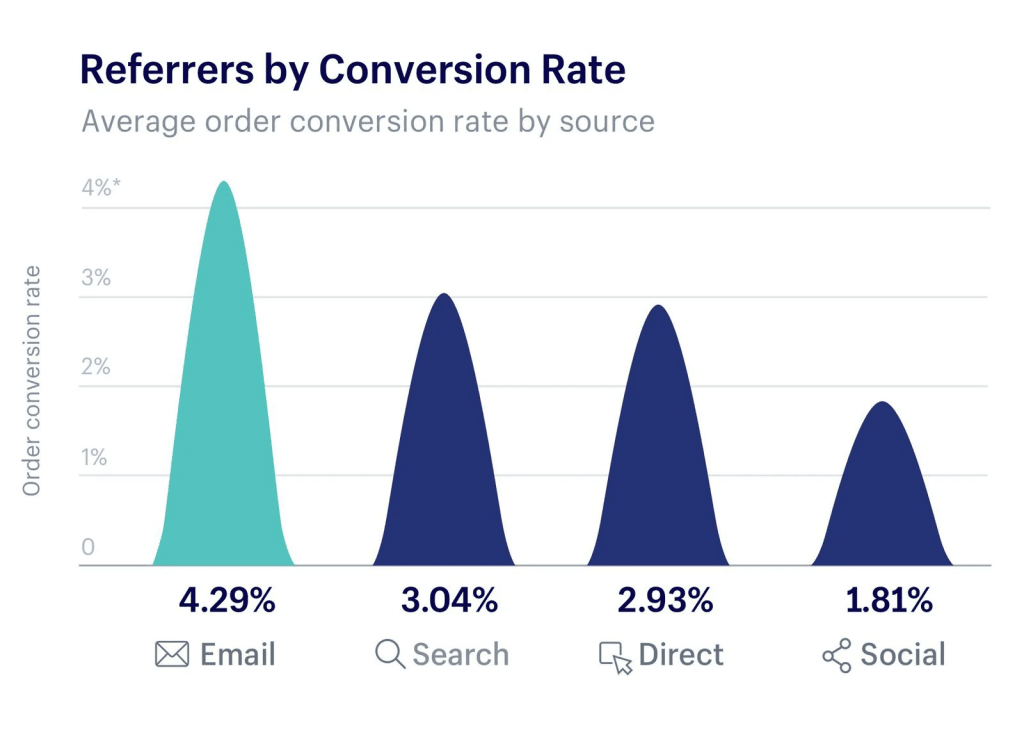
Do not assume that an SEO app produces rankings or that most of your orders will begin with a Google search. Useful search content, paid campaigns, partnerships and permission-based email serve different purposes. Record the cost and outcome of each test and expand only when you understand the result.
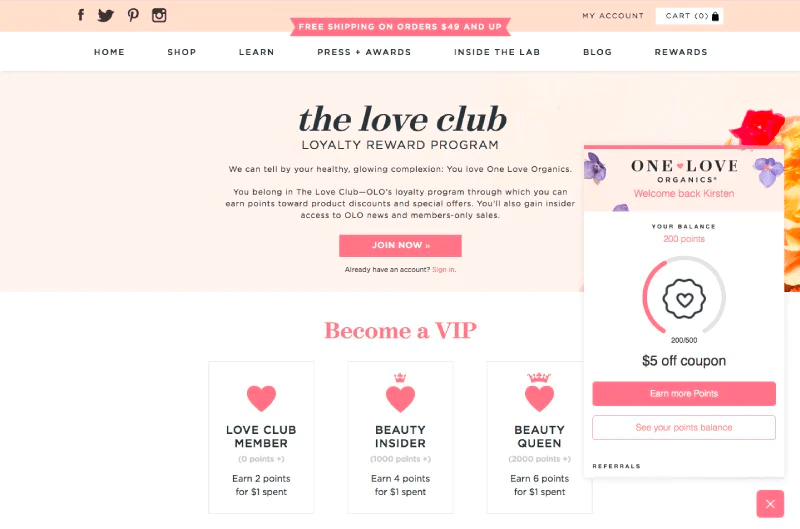
A loyalty-program page showing rewards and a sign-up offer. Image: Shopify.
Before choosing advertisements, creators, social groups or search content, identify where your customers spend time. Turn that into a small test plan: write down the audience, the product question each channel answers, the creative you will use and the result that would justify a second campaign. A creator partnership should be judged by relevant enquiries and sales, not follower count alone.
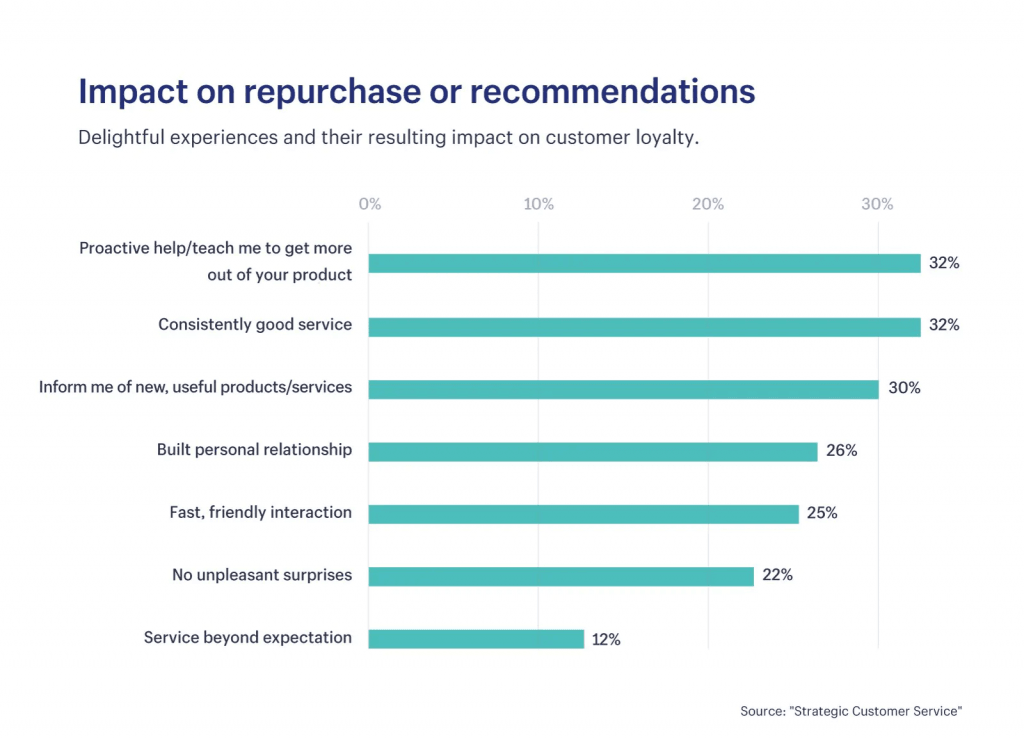
Once customers have bought, plan a separate retention journey. Explain new products or useful care advice through permission-based email, and consider a loyalty programme only if its rewards fit repeat-purchase behaviour and the margins support them. Segment by what customers purchased and what they have actually opted to receive; do not send every promotion to everyone.
2. A difficult mobile shopping experience
Test a complete purchase on a real phone: navigation, search, filters, product options, cart, address entry, payment and order confirmation. Look for clipped text, shifting layouts, intrusive overlays and buttons that are difficult to operate. A desktop preview alone will not reveal every problem.
Google’s Core Web Vitals cover loading, interaction responsiveness and layout stability. Use real-user data when available, supported by laboratory tests that help locate the cause. Remove unnecessary scripts and oversized media, and repeat the shopping journey after changes. A consistent theme is useful; custom visual styling alone does not establish trust.
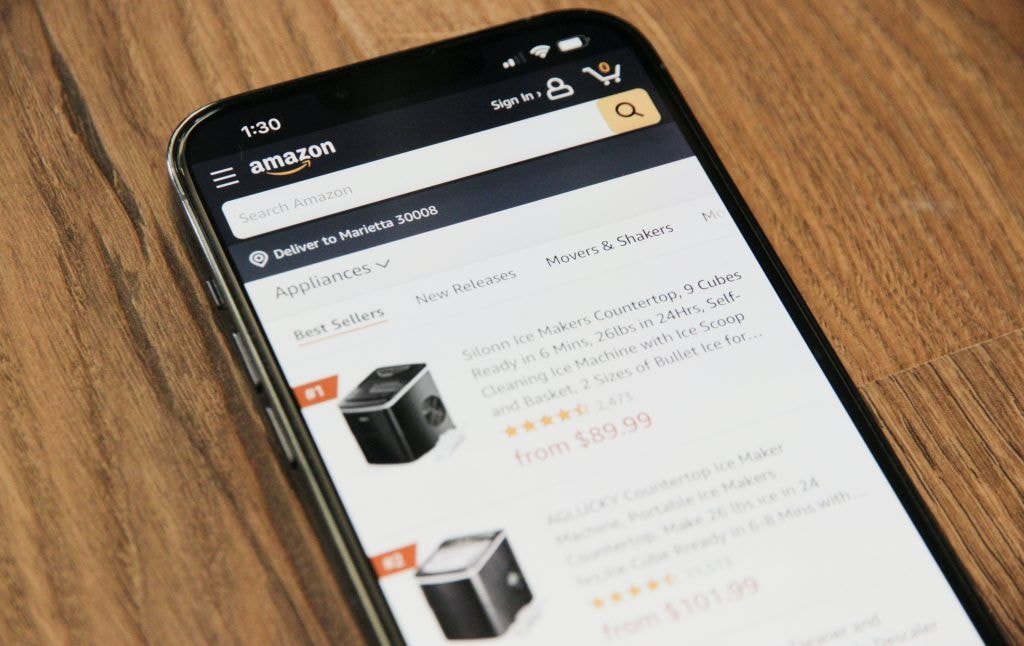
Shopping on a phone makes navigation and checkout friction easier to notice. Photo: Unsplash.
A generic template can leave a store looking indistinct or hard to navigate. Keep a consistent visual language, then organise collections around customer tasks rather than internal stock codes. On the homepage, show what is sold, who it is for and where to go next; use new or popular collections only when they help someone find a suitable product.
Check the mobile view with long titles and real product variations. A collection card, product gallery, size selector and support link should remain usable without pinching or horizontal scrolling. Ask someone unfamiliar with the catalogue to find a product and explain where they became uncertain.
3. Delivery and returns that disappoint
Show delivery coverage, realistic dispatch times, charges and return conditions before checkout. A free-shipping threshold is a business decision: calculate product margin, packing, carrier costs and likely order size before offering it. Shipping costs still exist when you include them in the product price.

A cracked tablet screen symbolizes the frustration caused by a poor delivery or returns experience. Photo: Unsplash.
The merchant can improve fulfilment even when a carrier performs the delivery. Use reliable stock counts, protective packaging, tracking, exception monitoring and a clear process for missing or damaged parcels. Offer pickup points or other delivery choices only when your carrier and integration support them, and test the complete address and notification flow.
The older article used a HK$35 product and HK$10 shipping charge to show why delivery fees can surprise shoppers. The lesson is to show the full cost early, not simply hide shipping inside a HK$45 price. Test whether a free-shipping threshold encourages a useful larger basket after the cost of the additional items, packaging and returns is included.
Customers may prefer home delivery, a staffed collection point, a locker or in-store pickup. Each choice creates a different address, notification, collection and failed-delivery process. Publish the options your fulfilment partners actually support, and make exchange and return conditions visible before checkout. Keep ownership of damaged-parcel or missing-order cases even when the carrier caused the problem.
4. An unclear next step
Each page should make the next useful action obvious: choose a variant, check availability, add to cart or contact support. Explain the offer next to the action rather than relying on a popup to create pressure. Discounts need clear conditions and a margin check.
Use deadlines and low-stock notices only when they are accurate. A countdown that repeatedly resets damages credibility. Recovery messages should reflect the customer’s consent and the platform’s applicable settings. Prompt support is valuable, but it should not promise an immediate reply when no one is available.
Promotions, newsletters, abandoned-cart messages and live chat can each help visitors overcome a specific obstacle. Use each for a specific obstacle. If shoppers cannot choose a size, answer sizing questions beside the variant selector; if they hesitate over delivery, link to the actual timetable. A newsletter incentive should state what emails will follow and how to opt out.
Support channels only build confidence if someone can answer within the stated hours. Show expected response times and let the customer continue shopping without a chat popup covering the purchase button. If the store sends recovery messages, verify the platform trigger, consent and destination link before relying on them.
5. Product information that leaves questions unanswered
Combine clear photographs with dimensions, materials, compatibility, care instructions and what is included. Show scale and relevant details. Where variations affect appearance or function, make the differences explicit before the customer chooses.
Verify supplier descriptions rather than reproducing unsupported claims. Original photography can help demonstrate the real product, but image quality and accuracy matter more than novelty. Review returns and support tickets to discover which details were missing from the page.
Unlike a physical shop, a customer cannot handle the item before ordering. Photograph the actual product from more than one angle, include a familiar object or dimensions for scale, and show differences between variants. For clothing, add fit and care details; for electronics, state compatibility and package contents; for consumables, describe ingredients and use as appropriate.
Supplier photos can be a starting point but may hide variations or fail to match the item shipped. Check the sample yourself, use a consistent background and include a short demonstration where movement matters. If a claim depends on a certification, material or performance test, keep evidence before publishing it.
6. No convincing reason to choose your store
Describe a specific advantage you can deliver: specialist selection, knowledgeable support, a distinctive product or a dependable service. Connect that promise to evidence such as clear specifications and authentic customer feedback. Do not fabricate reviews or reward only positive opinions.

Chess pieces illustrate the need to give shoppers a clear reason to choose one store over another. Photo: Unsplash.
Your story can explain the business, but it cannot compensate for a confusing checkout or unreliable fulfilment. Make brand promises visible in daily operations, and ask returning customers what actually mattered to them.
An About page should tell a real story rather than rely on a generic slogan. Explain why the business selected these products, who tests them and how customers receive help after purchase. Carry the same message through product pages, packaging and support; inconsistency between the promise and service is easy to notice.
Distinctive photography, useful explanations and friendly replies can set a shop apart without pretending its products are unique. Ask actual buyers why they chose you over alternatives and what almost stopped them. Use those answers to improve the offer, not to invent a brand value that operations cannot support.
7. Incomplete localisation
Translate the whole buying journey, including product options, policies, transactional messages and support information. Review machine translation with someone who understands the market and product. A language selector is not enough when checkout or returns information remains inaccessible.
Confirm presentment currency, payment eligibility, settlement, shipping coverage and duties for each target market. Shopify Markets and payment capabilities depend on configuration and the store’s supported payment services. Test a representative order for each market instead of assuming that a currency display guarantees local-currency checkout.
For example, a shop serving customers in Japan needs to plan the entire shopping journey. A Japanese storefront needs more than a translated landing page: review product measurements, delivery territories, tax and duty explanations, returns address, customer-service language and post-purchase emails. Even a Hong Kong-only shop should test its English and Traditional Chinese journeys independently.
A currency shown on the product page may differ from the currency charged or settled. Verify the payment provider, market settings and actual checkout for the customer location, then state clearly where a conversion may occur. Do not promise that one app or setting makes every market operational.
8. Decisions based on incomplete data
Use Shopify reports and a correctly configured Google Analytics 4 property where appropriate. Universal Analytics is retired. Define the events and business measures you need, honour privacy choices and verify purchases are not counted twice. Analytics reports do not reveal every individual’s complete journey.

Dashboard on a laptop used to review store data before making decisions. Photo: Unsplash.
Compare conversion by device and channel alongside order margin, refunds, delivery performance and repeat purchases. Email opens are affected by privacy features; clicks and actual orders can provide more useful evidence. For low-traffic stores, customer interviews and usability sessions may reveal problems sooner than an underpowered A/B test.
An online store can reveal more about each step of the shopping journey than a physical shop can observe. Useful measures include where visitors enter, which product options they choose, where checkout stops, what questions reach support and whether a first purchase leads to another. These measures still need correct configuration and a clear business question.
Run a modest change one at a time: improve a confusing product explanation or shipping message, set an observation period and compare relevant outcomes. Include refunds and margin so that a higher conversion rate is not mistaken for a healthier business. Email open rates are especially uncertain; use clicks, orders and customer feedback together.
Choose the next repair
Rank problems by customer impact and evidence. Fix broken checkout, misleading product details or delivery failures before polishing decoration. Assign one owner and a measurable outcome to each change, then check whether it helped. Sustainable growth depends on a working purchase experience and sound economics together.
Sources
- Google: Web VitalsChecked
- Google: Google Analytics 4Checked
- Google: SEO Starter GuideChecked
- Shopify: MarketsChecked
- Shopify: Customer contact and marketing consentChecked